
-
Your shopping cart is empty!


Notice: You must use PHP 8.1 for using OpenCart 4.0.2.2 or 4.0.2.3.
How to install Ronixa:
Ronixa's goal is to provide the best user experience. All you have to do is follow the steps below:
The first thing you need to do is buy and download Ronixa from https://www.opencart.com/index.php?route=marketplace/extension/info&extension_id=45380 Then follow the instructions.
- Install opencart on your server from (downloading opencart) .
- Unzip the Ronixa Module file that you downloaded.
- Access your Opencart Admin and go to Extensions > Installer and click on the upload button.
- After ocmod.zip uploaded click plus green button to install ronixa file
- Go to Extensions > Extensions and select the module from extension listing.
- Click on the green plus button from action column to install module.After installing the module, color of the button changes from green to red and edit button will be actived.
- At the end from Ronixa > Theme Setting > Template, import the theme.

Go to the Ronixa folder and doubleclick on ronixa.ocmod.zip file and wait for complete the progressbar.


After this step, all modules needed for the Ronixa theme are installed automatically.
Now go to Extensions > Extensions > Module.then click blue button to edit retrina builder setup, and enter your purchase code.
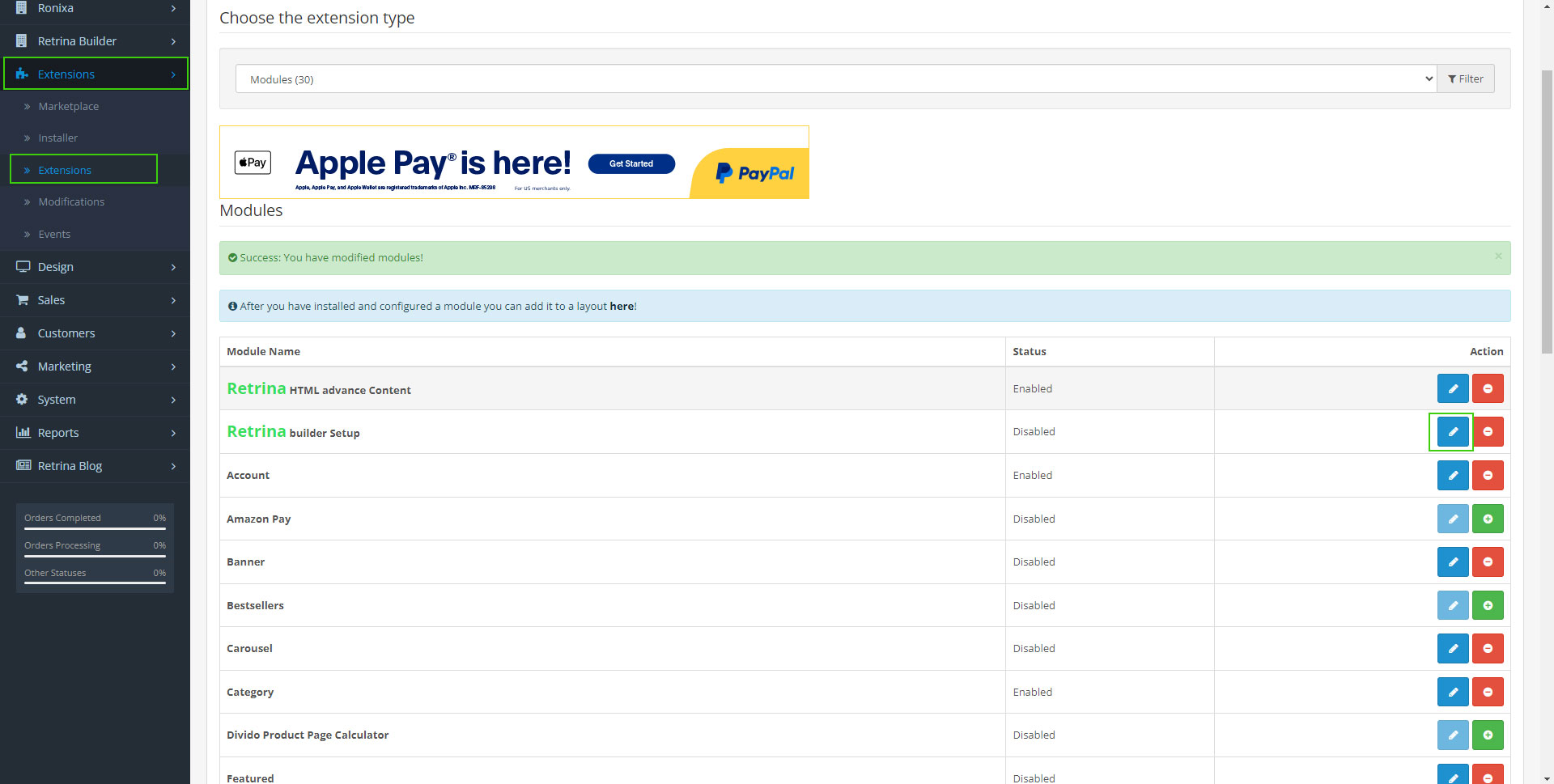 Notice:
 To Use Admin Panel You Should Enter Your purchase Code.
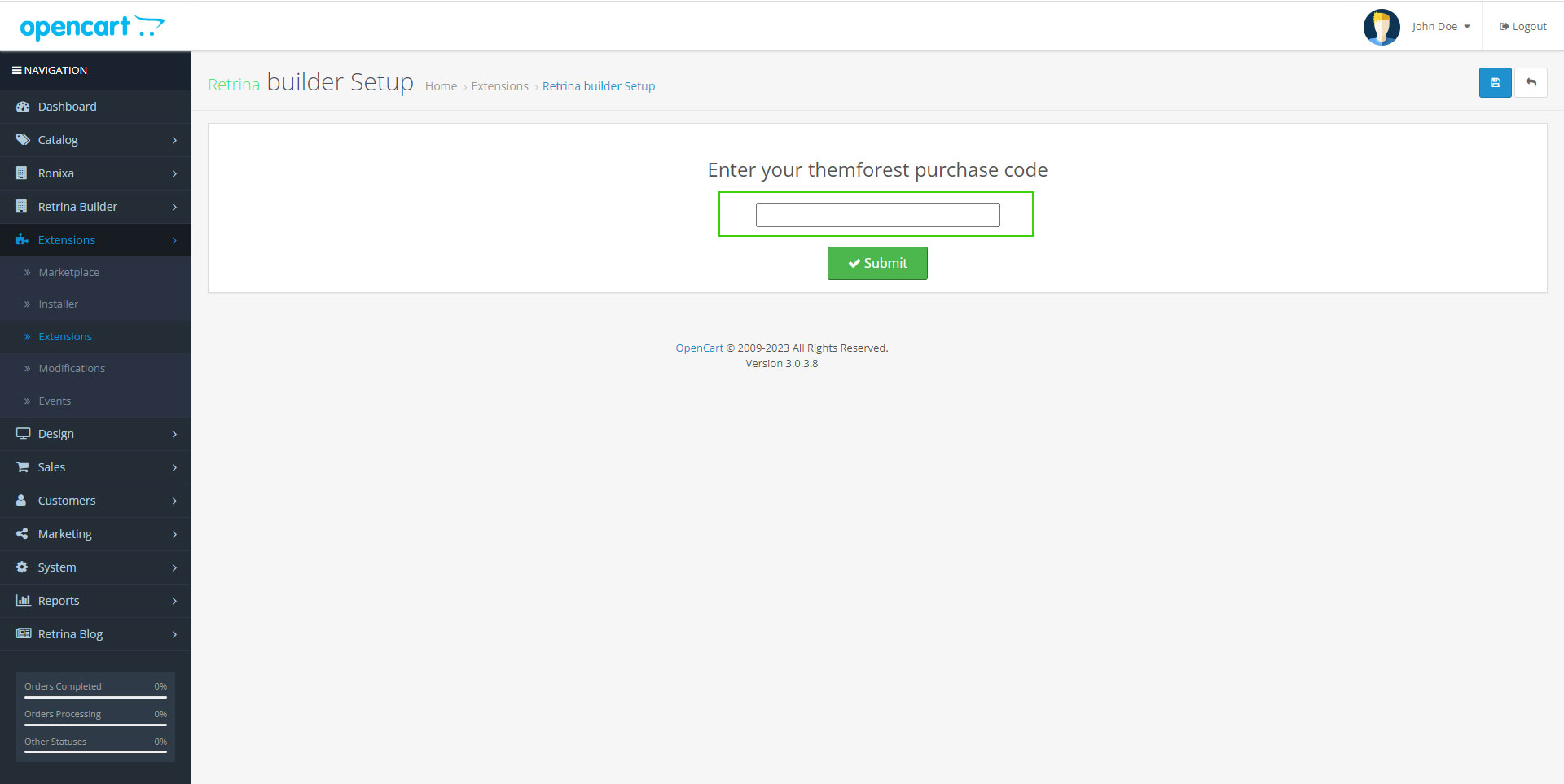

Enter continue button to go to next step.

check every inforamation of our them that you want, then click Import button and enjoy it.